
Social listening tools count mentions. A keyword search API hands you the videos — and everything said in them.
TikTok Search API: Four Things to Build With Keyword Search
Most teams watching TikTok are working from a dashboard that counts mentions. It tells you volume is up 30% this week and leaves you to open the app and scroll to find out why. The gap between “something is happening” and “here is what is being said” is still a manual afternoon.
A keyword search API closes that gap by giving you the actual videos as data — with their engagement, their authors, their hashtags, and crucially their URLs, which is what lets you go one step further and read what was said.
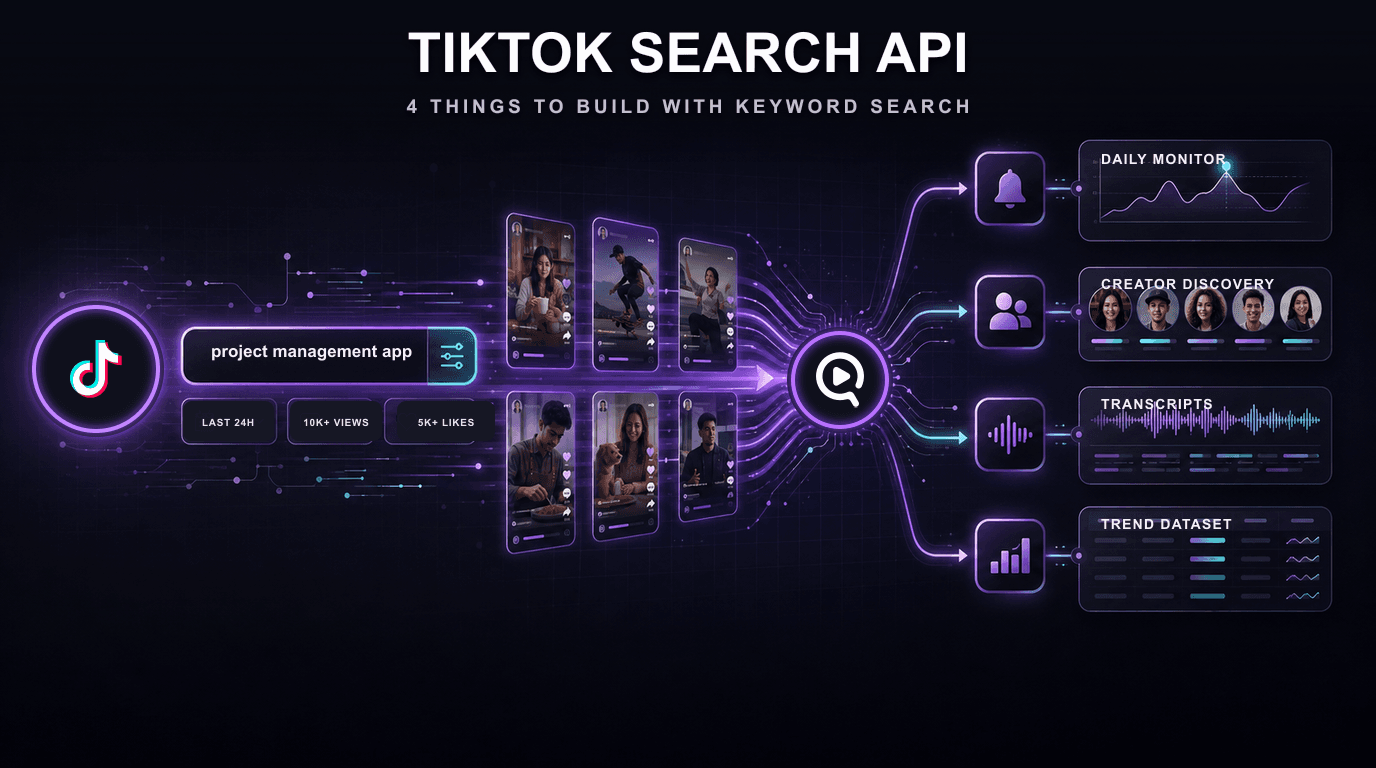
Four patterns worth building, each with the code.
Key Takeaways
- Filters do the shortlisting: sort by relevance, most liked or newest, limit to a date window TikTok applies itself, and add like and view floors, so what arrives is already the set worth looking at.
- Newest-first ordering makes monitoring trivial: for a daily sweep, the top of page one is the alert feed.
- Search is a front end for content analysis: results carry video URLs, so transcription and typed extraction are the next loop.
- An ambitious
max_resultsis free: you are billed for work done, not for the number you asked for.
1. Monitor your category, daily
The simplest useful job: every morning, what got posted about your category yesterday that anyone actually saw? A date bound plus a view floor turns a firehose into a short list you can read over coffee.
The date bound is not a filter applied to an all-time result list. With after_datetime set, the search itself runs newest first, the same way Sort by: Date posted works in the TikTok app, and stops once it passes your bound. A one-day sweep comes back full of one-day-old videos and bills only the few pages it reads. Run it on a schedule, diff against what you stored yesterday, and alert on what is new.
2. Discover creators against a real engagement floor
Influencer discovery usually starts from a follower-sorted list, which is the wrong sort. Start instead from posts that performed on your topic, then look at who made them — you get creators proven on your subject rather than creators who are merely large.
Sort by most_liked so the posts that travelled come first, widen coverage for a single keyword with parallel_search_slices, group the results by author, and rank by average views. Anyone appearing several times with strong numbers is a candidate; from there, run each handle through the profile scraper to check they are consistent rather than lucky.
3. Hear what is actually being said
This is the step conventional social listening cannot take. On TikTok the substance is spoken, not written — captions and hashtags are packaging. If you are only reading text fields, you are analysing the label on the tin.
Every search result carries its video URL, so transcription is the next loop. Now “what are people saying about us?” has a literal answer, in 99+ languages, including the complaints nobody bothered to type in the caption.
Captions are optional, not required. Ask for the transcript and you get the creator's captions when they exist; when they do not — which on TikTok is most of the time — speech-to-text reads the audio instead. You never get a blank row because someone skipped the subtitles. Both paths are documented: transcript and transcribe.
4. Build a trend dataset you can query
Transcripts answer questions one video at a time. To answer them across a whole keyword you need columns, so define the fields you care about and get them back typed for every result.
Hook, brands mentioned, sentiment, main claim. That is a table, and a table answers questions prose cannot: which claim shows up in the negative posts, which hook pattern dominates the top decile by views, which competitor is being named most this month.
How much you get back, and what it costs
A single search returns roughly 100 to 140 unique videos for about 0.025 credits. That is the right setting for monitoring, where you want today's posts rather than an exhaustive archive. A narrow published_within window usually costs less, because TikTok stops returning pages once the window runs out.
When you need broader coverage of one keyword, parallel_search_slices runs several searches concurrently and deduplicates them, reaching up to roughly 480 unique videos at its maximum of 4. Cost scales close to linearly, so reach for it on a launch-week sweep, not on a daily job.
Transcription and extraction are billed per video when you chain them on. Filter hard first and you only pay to analyse the posts that matter — see the pricing page for the full picture. Failed searches are reversed automatically.
Conclusion
The difference between a mention counter and a keyword search API is that one tells you something happened and the other hands you the evidence. Filter to the posts that matter, transcribe them, ask for the fields you need, and TikTok stops being a place you monitor and becomes a source you can query. The solution page has the full parameter and response reference.
Frequently Asked Questions
Next Steps
Related
All VidNavigator solutions
- Universal Transcript Retrieval API
- YouTube Transcript API
- TikTok Transcription API
- TikTok Profile Scraper API
- TikTok Search API
- Instagram Transcription API
- Facebook Transcription API
- AI Video Search Engine
- Video Analysis API
- Video Data Extraction API
- YouTube Channel Search
- YouTube Channel Strategy
- Tweet Claim Analysis
- X (Twitter) Video Proof